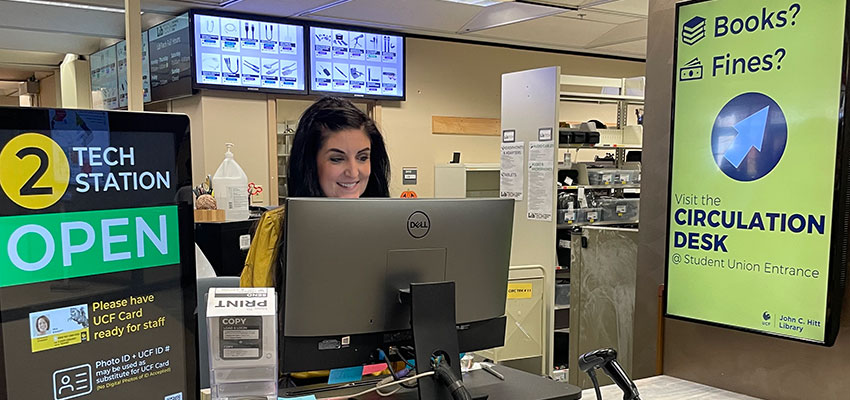
Change in Hours for the LibTech Technology Lending Service
John C. Hitt Library Posted: October 19th, 2023The LibTech desk in the Hitt Library offers a wide variety of technological equipment and accessories that can be checked out by anyone in the UCF community, and they provide technology and printing assistance for all hours the library is open. Starting Saturday, October 21, LibTech operating hours for lending equipment will change to the following (changes in bold):
- Monday – Thursday: 7:30am – 10:00pm
- Friday: 7:30am – 7:00pm (no change)
- Saturday: Closed
- Sunday: Closed (no change)
This means that Saturday, October 21, will be the first Saturday that LibTech will be closed. Monday, October 23, will be the first weeknight that we will close at 10:00 p.m.
Why are we making this change mid-semester? We can’t keep up. It’s been a busy Fall 2023 semester. There is a 19% increase in patron interactions at the LibTech desk for the months of August-September 2023 compared to those months last year. In August 2023, there were a total of 6,099 interactions at the LibTech desk, and in September 2023, that number jumped to a total of 14,557 interactions.
While we love serving the UCF community, the increase in support needed to operate the desk during peak hours has reduced the full-time staff’s ability to keep up with equipment maintenance tasks and caused continued delays on new services such as the Podcast Studio and Photo/Video Studio. We are also working to fill two full-time staff vacancies, but even when those positions are filled, we’ll still be running thin with the addition of new services, new spaces, and increased traffic at the desk.
In the analysis of our interactions and loan data, peak usage of our services occurs Monday – Friday, 9:00 a.m. – 9:00 p.m. There is a sharp drop in interactions after 10:00 p.m., and our Saturday interactions are less than 5% compared to weekdays.
We also want to highlight some benefits of reducing our hours:
- Reduction of late fines for students
- LibTech only charges fines when we the desk is open, so less open hours per day = less $ in fines per day
- Additional free loan period days
- 3-day items checked out on Wednesdays or Thursdays will now be due back on Mondays since LibTech will be closed Saturdays and Sundays
- 24-hour items can be checked out on Fridays and be used all weekend and will now be due back on Mondays
- Additional staff to assist with complex questions, studio assistance, and technology consultations
LibTech’s support of people printing in the Print Zone will continue to be a key service, and while the library is open, there will still be a student worker on-duty to assist people with technology questions and provide support for printing, scanning, and copying. They will also be able to process LibTech item returns.
If you have any questions or concerns, please contact Matt DeSalvo, Manager of LibTech, and Rachel Vacek, Associate Dean for Technology and Digital Strategies.