News & Blog

Category: John C. Hitt Library

Free Student Printing at UCF Libraries

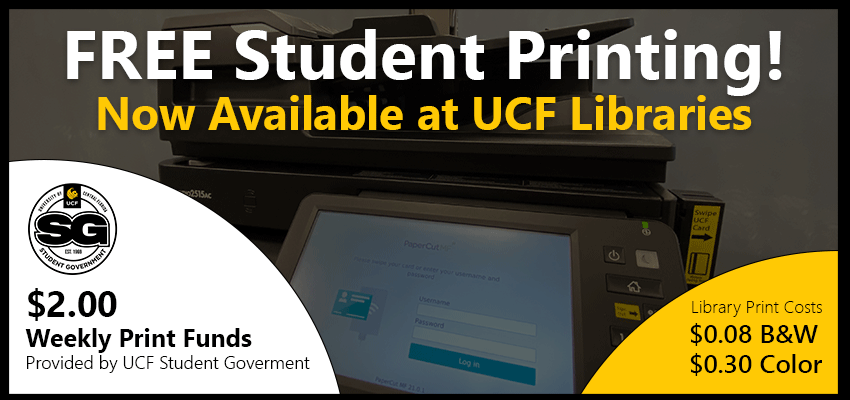
Free Student Printing now at UCF Libraries

UCF Libraries, UCF IT, and UCF Student Government have collaborated to bring Free Student Printing to all UCF Libraries locations!

Starting April 19th, 2021, students will now be able to use their weekly $2.00 print funds provided by Student Government towards the cost of printing at UCF Libraries locations.

  • Print jobs will automatically deduct from the $2.00 SG Print Funds first
  • If additional funding is required for the print job(s), it be deducted from student’s Knight Cash account
  • Standard Library Printing Rates apply
    • $0.08 B&W / Monochrome (per side, 8.5″x11″ Letter)
    • $0.30 Color (per side, 8.5″x11″ Letter)
  • SG Print Funds are refreshed on a weekly basis

To begin using, simply log onto any UCF Libraries computer with your NID / NID Password and send your jobs to either the “LIB B&W Public” or “LIB Color Public” printer. Both jobs can be released at any Toshiba MFP (Multi-Function Printer). Additional printing instructions can be viewed here.

Have more questions? Stop by the LibTech Desk for friendly assistance at the John C. Hitt Library.


Ask A Librarian Featured Questions

Ask A Librarian Featured Question: March 2021

Our featured question this month is: “How do I find peer reviewed articles?”

There’s lots of options to use. In the center of the library homepage, you can use QuickSearch, search using the Articles tab, or the Database button to select a specific database that covers your subject area. 

QuickSearch searches many of our databases. Enter in your search terms, search, and on left side of the screen select Scholarly Journals/Peer Reviewed. This option does pull from all Libraries’ resources, not just articles.

The Articles tab works similarly to QuickSearch but limits the search to articles only with a default selection of “Full Text Online.” You can even limit by publication date.

Database search screens may look different. Look over the page to find the Peer Reviewed option.

We have a Peer Reviewed or Refereed Scholarly Journals guide that explains what peer reviewed and scholarly articles are and suggests databases used to find them.

You can view this short video from UCF Libraries “How to Find Peer-Reviewed Journal Articles” that contains what peer reviewed articles are and how to search for them here:

Research Tips Thursday: Using the DIG Method to Minimize Visual Misinformation

Research Tips Thursday: Using the DIG Method to Minimize Visual Misinformation

In this age of photoshop and deepfakes, developing expert image evaluation skills is a key element to navigating the information landscape. Learn how the DIG method can help you quickly get to the heart of any image.

You can view the full Research Tips Thursday series at guides.ucf.edu/rtt

Research Tips Thursday Time Management Tips for Writing

Research Tips Thursday: Time Management Tips for Writing

As the end of the semester approaches, it all begins to pile up. Here are some time management tips you can use to organize your workflow and finish all your projects on time and with minimal stress.

https://vimeo.com/519304355

You can view the full Research Tips Thursday series at guides.ucf.edu/rtt

Research Tips Thursday: 3 Myths About Using Images in Academic Work

Research Tips Thursday: 3 Myths about Using Images in Academic Work

Need to include images in a poster or presentation? Don’t fall for these three myths! Find out where you can find images and how to incorporate them like a wizard!

And check out the full Research Tips Thursday series at guides.ucf.edu/rtt

Back to Top