News & Blog

Category: John C. Hitt Library

Ask A Librarian Featured Questions

Ask A Librarian Featured Question June 2021

The Ask A Librarian Featured Question series answers the most commonly asked question of the previous month. June 2021 focuses on patent & trademark research with the question “How can the John C. Hitt Library help me with Patent and Trademark research?”

The video that was here is out of date and has been archived. Click here to download the video for viewing.

The John C. Hitt Library at the University of Central Florida is a Patent and Trademark Resource Center (PTRC) and is one of three in the state of Florida. The other two are in Ft. Lauderdale and Miami.

This service is available to all UCF affiliated persons and all members of the public. Our PTRC representative is Librarian Missy Murphey. She can help you with how to use search tools to access patents and trademark information. Please note that she cannot provide legal advice.

We have very helpful libguides chock-full of great information you can take a look at:

You can also schedule an appointment to meet one-on-one with Missy to learn how to use the search tools.
Summer Knights Reading Challenge

Summer Knights Reading Challenge 2021

Open to all UCF (all campuses) students, faculty, and staff plus Downtown Valencia students, faculty, and staff.

It’s easy! Record your reading beginning June 1st – see below for a Summer Knights Reading Log you can use.

Once you have read 500 pages just submit this form, letting us know which books you read to reach the goal.

For more information visit guides.ucf.edu/skrc2021

Ask A Librarian Featured Questions

Ask A Librarian Featured Question: May 2021

“What does it mean when an item comes up as being in the Location: UCF ARC MAIN General Collection or UCF ARC MAIN Media?”

The video that was here is out of date and has been archived. Click here to download the video for viewing.

ARC stands for Automated Retrieval Center.  It is the building behind the Circulation desk and has bins three stories high that contains a large number of the library’s print collection and all DVDs.  When a request is placed on an item in the ARC Circulation staff will retrieve items and hold them at the desk for check out. 

In the catalog click under the item information you will see a link:  Place a Hold

Click on the link and log in with your NID and password. Near the bottom of the screen click on the button to Place Request.  You will be emailed by Circulation when your item(s) are ready for check out.

This process usually takes an hour or less.

For more information, take a look at our ARC page: library.ucf.edu/21st/arc/

Or take a look at the ARC in action through the windows on the 3rd floor or in the video below.

SCUA's 45 Years of Collecting Exhibit

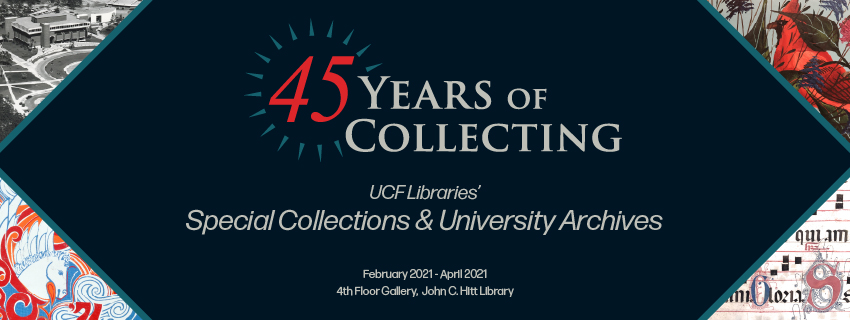
Last Chance to See Exhibit: 45 Years of Collecting

There’s still time to see 45 Years of Collecting: UCF Libraries’ Special Collections and University Archives! This exhibit will be on display in the fourth floor gallery at John C Hitt Library. Please note the gallery IS open every weekday from 9am – 4pm. The lights are out until the door opens to preserve the collection but please do come in and visit!

This broad range of materials highlights the evolution of the library’s collection over the past 45 years.

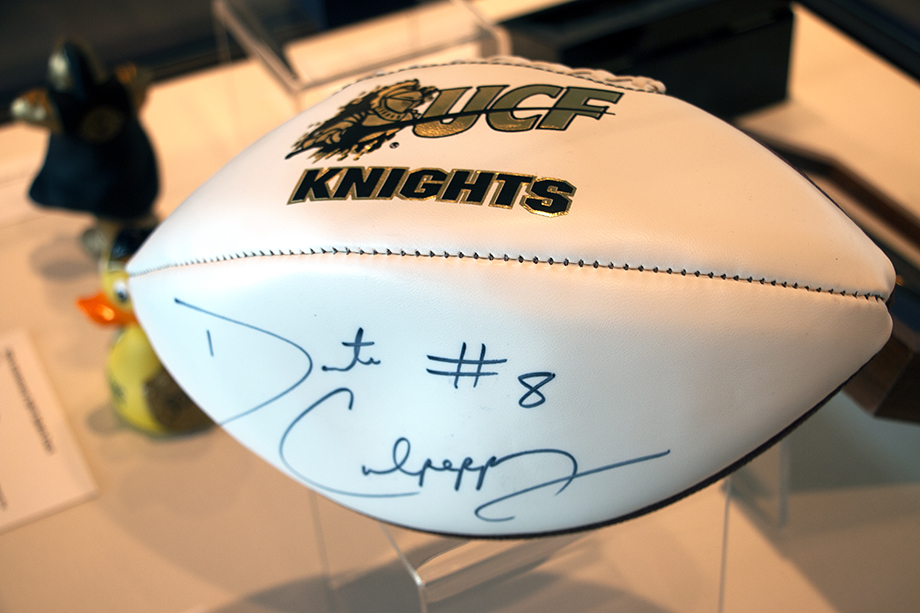
It includes great UCF items like Daunte Culpepper’s football, Spirit Splash rubber duckie, Knightro squishy toy, Pegasus yearbook, and some Citronaut memorabilia.

Daunte Culpepper Football

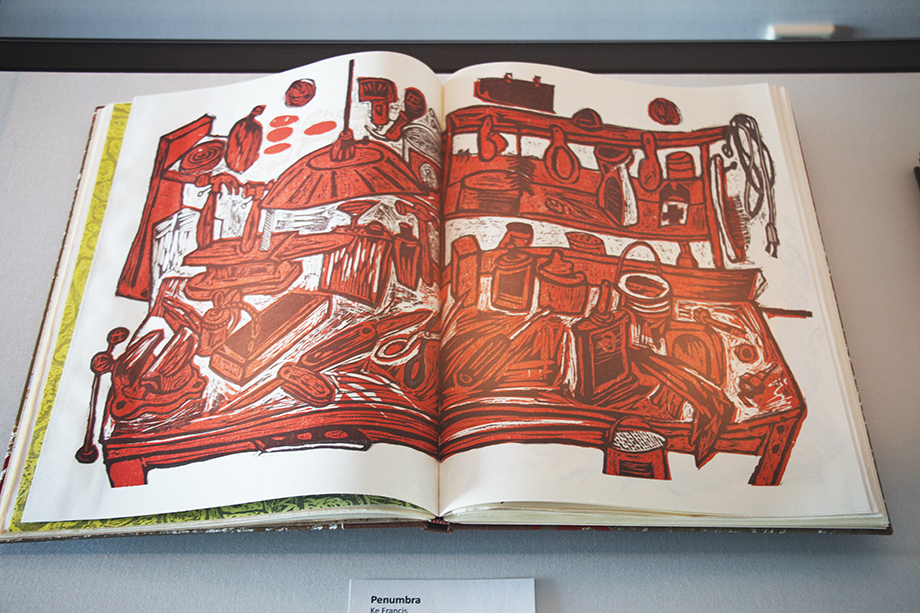
Check out gorgeous handmade selections from our bookarts like Penumbra by Ke Francis.

Penumbra by Ke Francis

See the oldest item in our collection, a Vulgate Bible from 1546 or local central Florida memorabilia from old tourist pamphlets to Pulse Memorial inspired artworks.

The exhibit runs from February 2021 through April 2021 in the new 4th floor Special Collections & University Archives’ Gallery in the John C. Hitt Library.

For more information, email speccoll@ucf.edu.

Ask A Librarian Featured Questions

Ask A Librarian Featured Question: April 2021

For April we look at a frequent question, “How do I renew books?”

To renew both books checked out from UCF Libraries or books checked out through Interlibrary Loan (ILL) you will need to go to the My Account page https://library.ucf.edu/my-account/

UCF Libraries books can be renewed by clicking on the Catalog Login button under the Library Catalog Account. Log in with your NID and password and on the next page look for the loans/renewals button. Click the Renew button next to the title you want to renew or to renew all click on the Renew all UCF items button. 

Interlibrary Loan books can be renewed by clicking on the ILLiad Login button under Interlibrary Loan. Click on the Login button on the next page and enter in your NID and password. Look for the menu on the left and under View click on the link: Checked Out Items.  Click on the transaction number by the book you want to renew. Click Renew Request at the top of the screen.

The video that was here is out of date and has been archived. Click here to download the video for viewing.

Back to Top